How to sell on Instagram with Shopify
Sell on Instagram with Shopify by connecting an eligible Shopify catalog to Instagram Shopping, using product tags and Story links, and sending shoppers to your Shopify checkout.
Instagram can be a useful discovery channel for a Shopify store. With the current Instagram Shopping flow, a shopper can spot a product in their feed, open the product tag, and continue to your Shopify website to check out.
For a Shopify owner, the catalog connection does the heavy lifting: eligible products can be synchronized to Meta, while Shopify remains the website checkout destination for the Instagram Shopping flow. Start with our current guide to adding the Shop Now/View Shop path on Instagram for requirements, setup, tagging, market checks, and troubleshooting.
For creator outreach that supports your Instagram storefront plans, try Vizup’s free Instagram DM outreach tool to validate a shortlist, prepare local message drafts, and keep your follow-up notes private.
 Instagram + Shopify Integration
Instagram Shopping feature allows e-commerce brands to engage better with audiences. It helps to create a digital catalogue of its products on Instagram or import it from Shopify.
Instagram + Shopify Integration
Instagram Shopping feature allows e-commerce brands to engage better with audiences. It helps to create a digital catalogue of its products on Instagram or import it from Shopify.
What is Instagram Shop?
The Instagram shop is a way for businesses to reach out better to their audience. It showcases its products in the form of a catalogue and thus helps in increasing conversions.
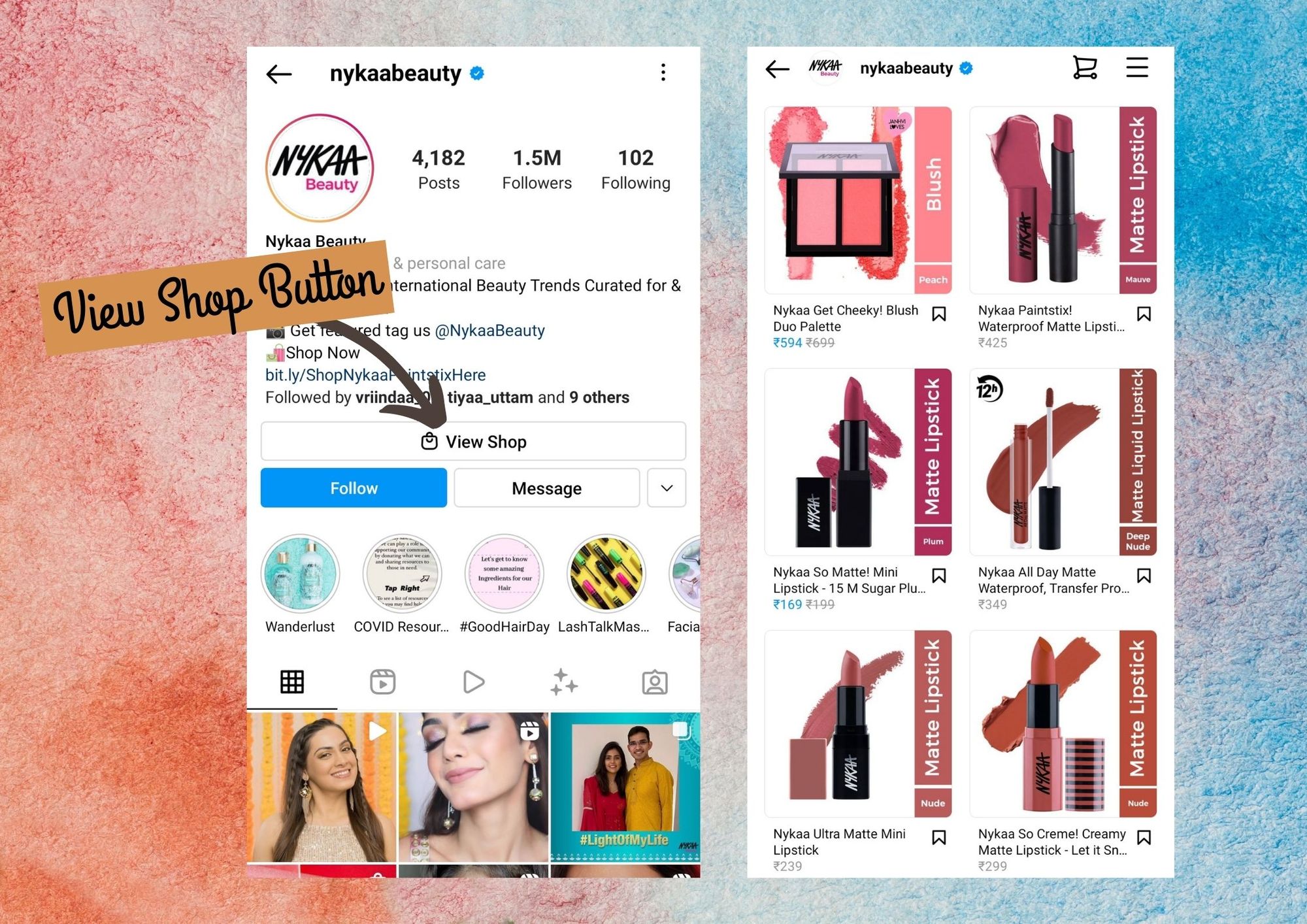 Instagram Shop is setup via the ‘View Shop’ button
You can think of the ‘View Shop’ button as a landing page where the users can browse all your product.
Instagram Shop is setup via the ‘View Shop’ button
You can think of the ‘View Shop’ button as a landing page where the users can browse all your product.
How to connect Instagram to Shopify?
Instagram Shopping helps to connect the items that you have in the Shopify store to your Instagram business profile so that the audience and customers can see your items on Instagram.
Before you add Instagram Shopping to your brand, ensure that your Instagram profile is professional, connected to the business Facebook Page, and eligible for the current Meta commerce requirements. The exact Shopify and Meta controls change, so follow the ordered Instagram Shopping setup steps rather than an old screenshot-based workflow.
The current path is to install the Facebook and Instagram by Meta sales channel, connect the required Facebook assets, make eligible Shopify products available to the shared catalog, resolve product errors, and complete any review prompt. Shopify and Meta control approval, and review timing is variable.
Is Instagram-Shopify Integration Effective?
According to figures of SproutSocial, over 70% of Instagram users are of the age of 17 to 35 which calls in for demographic-based targeting. 90% of the total people on Instagram follow a business/brand page.
This stat has only ticked year-over-year. Due to the increased rolling out of new Instagram business features and shopping options such as Instagram catalog, Instagram stories features, and more, the platform is becoming more brand-friendly.
It is also making it easier for your eCommerce brand to draw traction and boost up sales.
Instagram-Shopify Integration is easily possible. Some of its added advantages are:
Instagram stories:
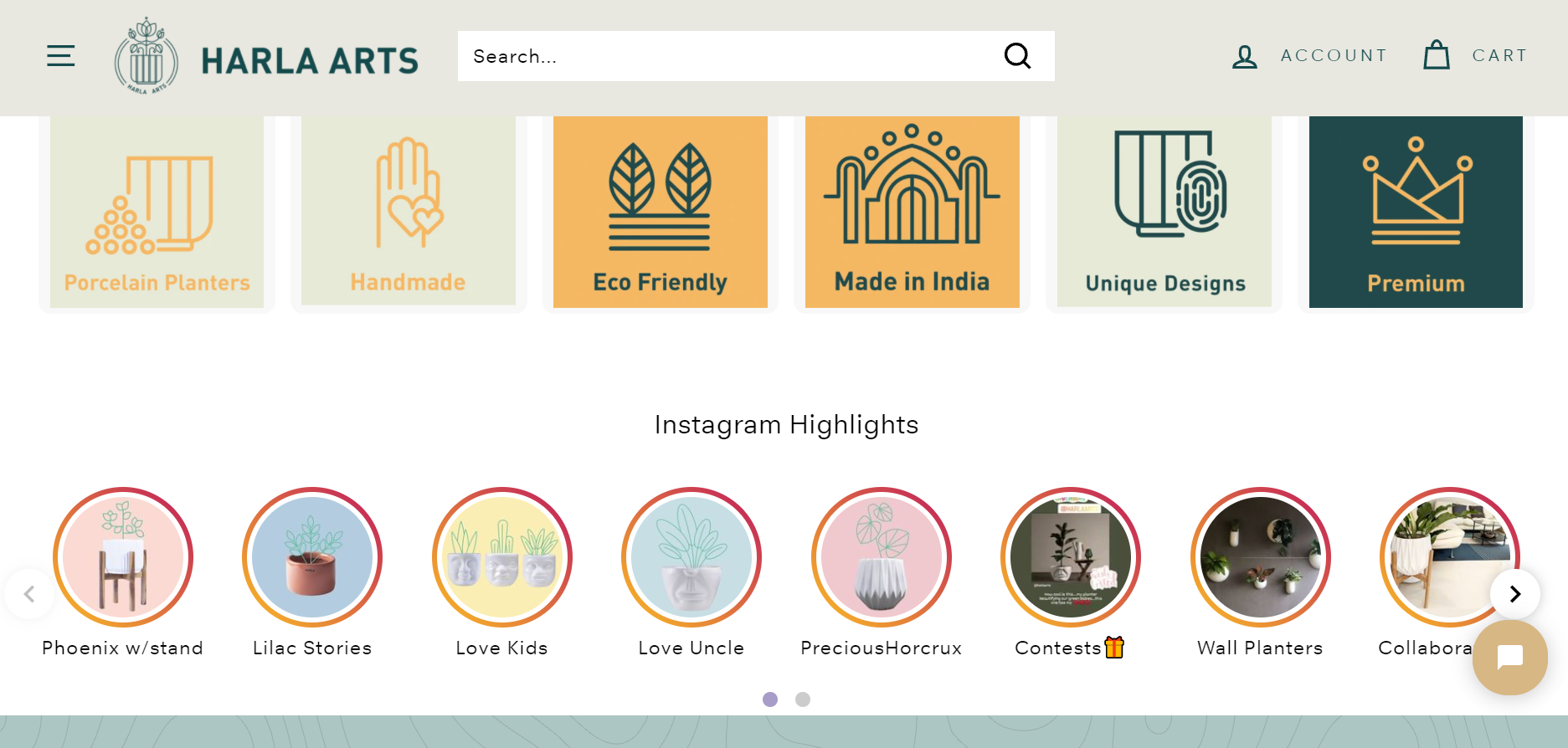 Harla Arts uses ShopGracias to embed Instagram highlights on its web store
Stories embedded on your Shopify eCommerce store through the ShopGracias application help your brand to build a social following and user-generated content which further helps in generating sales.
Harla Arts uses ShopGracias to embed Instagram highlights on its web store
Stories embedded on your Shopify eCommerce store through the ShopGracias application help your brand to build a social following and user-generated content which further helps in generating sales.
Shoppable story stickers:
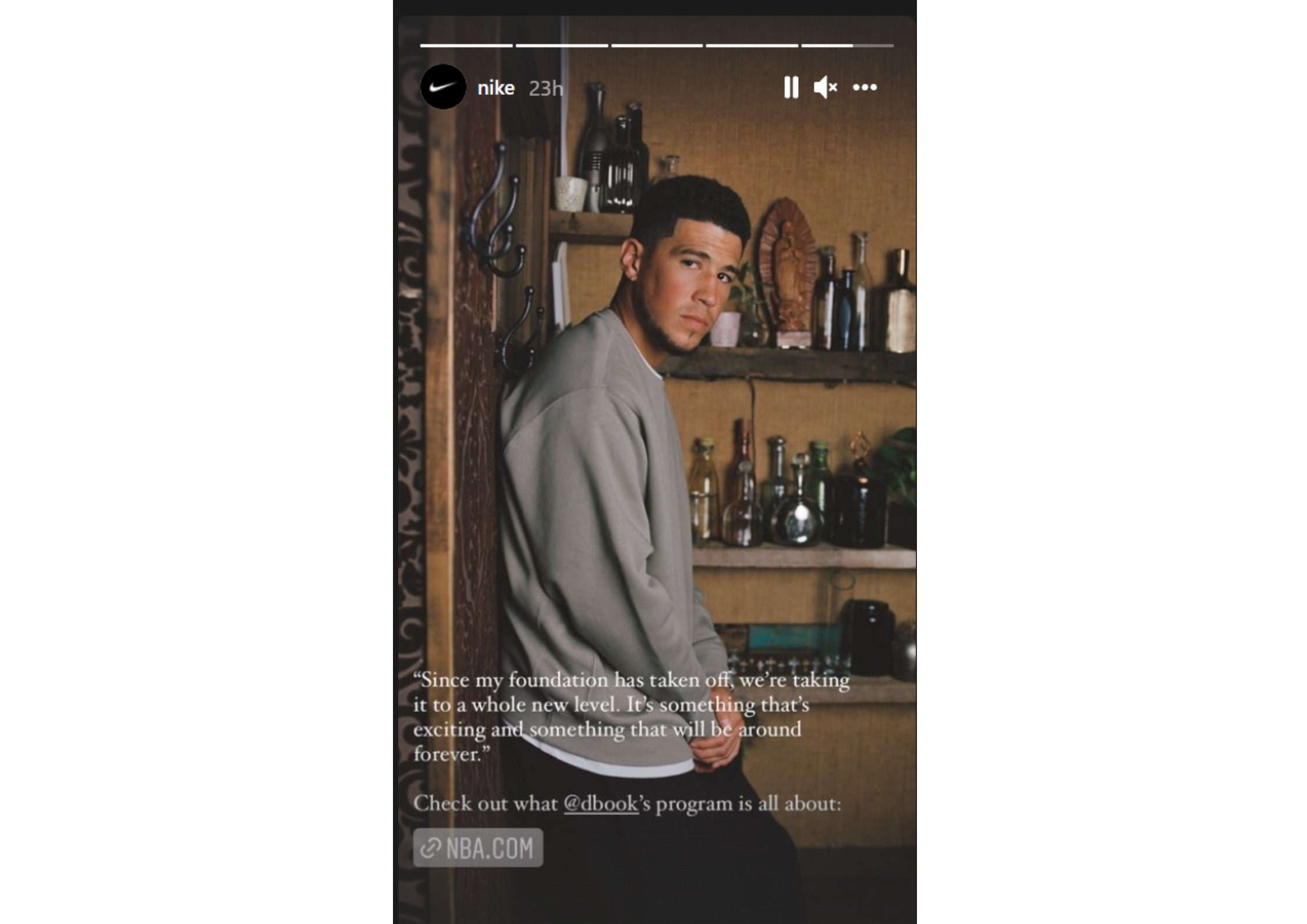 Nike uses links on stories to direct traffic to its web store
Story link stickers can send your audience directly to your ecommerce site; use the current Instagram control available to your account.
Nike uses links on stories to direct traffic to its web store
Story link stickers can send your audience directly to your ecommerce site; use the current Instagram control available to your account.
Instagram Shoppable Post Tags:
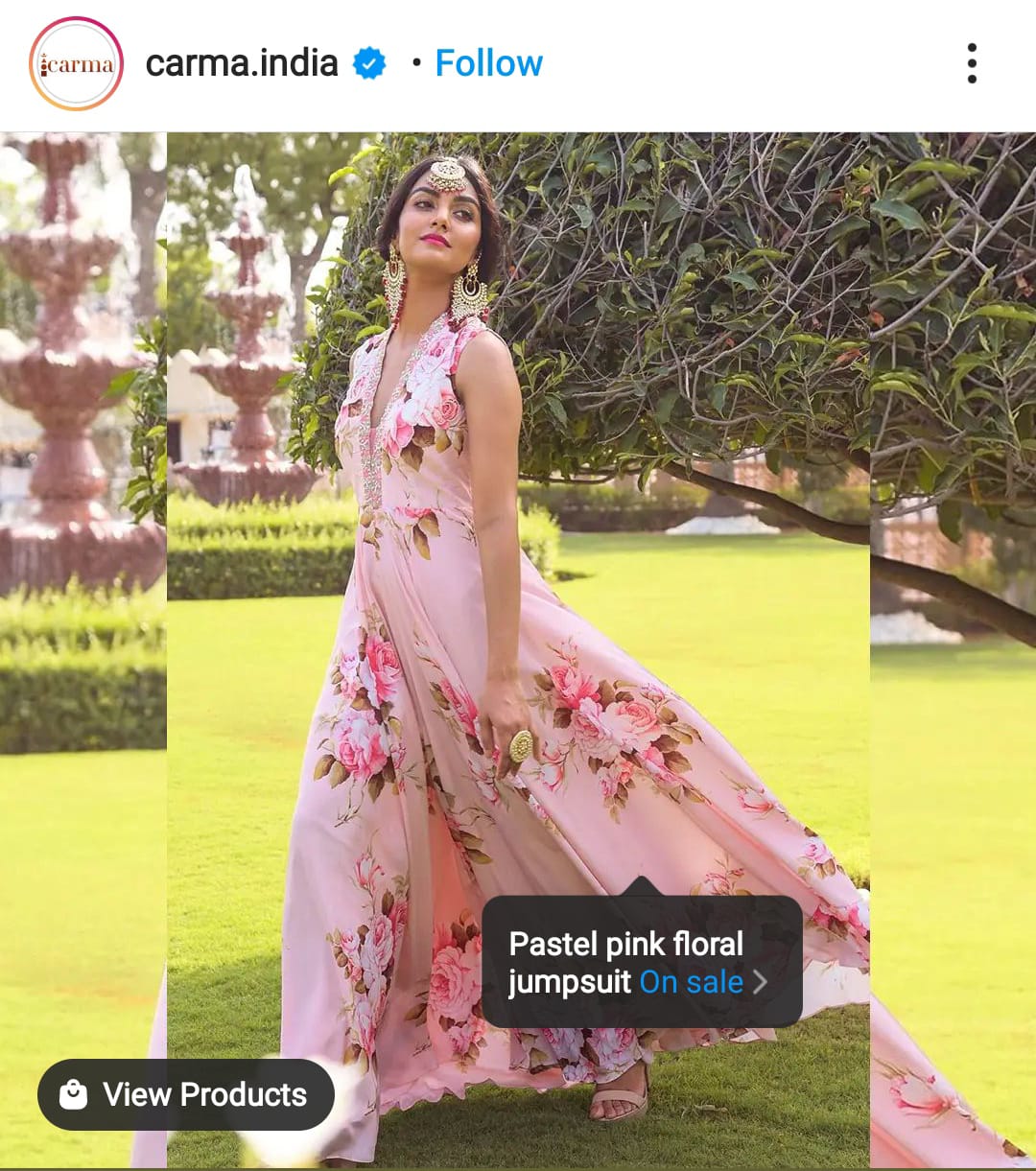 Instagram Shoppable posts help to direct traffic to the eCommerce site
IG shoppable posts let eligible brands label items inside a post. A shopper can open the product and continue to the brand’s Shopify website to add it to cart and check out.
Instagram Shoppable posts help to direct traffic to the eCommerce site
IG shoppable posts let eligible brands label items inside a post. A shopper can open the product and continue to the brand’s Shopify website to add it to cart and check out.
Conclusion
Connecting Instagram and Shopify is worth evaluating when your account, market, domain, products, and policies are eligible. Once it’s live, use the currently supported post and Story tagging flows to shorten the trip from your profile to a Shopify product page and checkout.
Then watch your Instagram analytics and adjust. The numbers will tell you which posts are actually sending people to buy.