How to use Canva for Instagram Highlight Covers
Create Instagram Highlight Covers in Canva by opening Canva, choosing an Instagram Stories Highlight Cover template or blank layout, customizing it, and downloading the finished design.
Instagram Highlights keep your best stories on your profile past the usual 24 hours. The covers are what make a row of Highlights look intentional instead of random. It’s a small touch that does a lot for how your profile reads.
You can easily create these covers from various graphic design software. Here we’ll take an example of Canva.
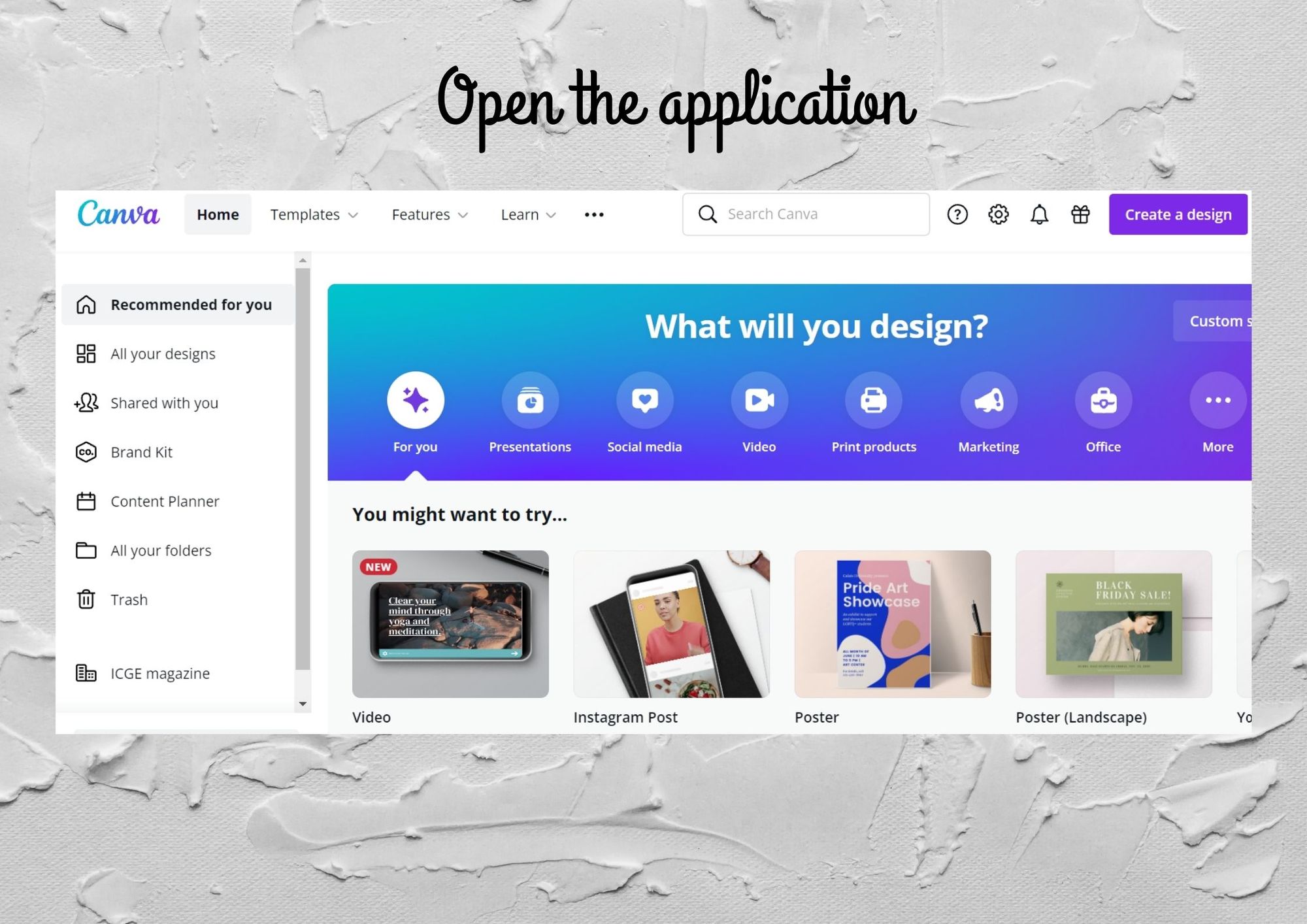 Canva application is used to create beautiful designs
Open Canva and choose a starting layout
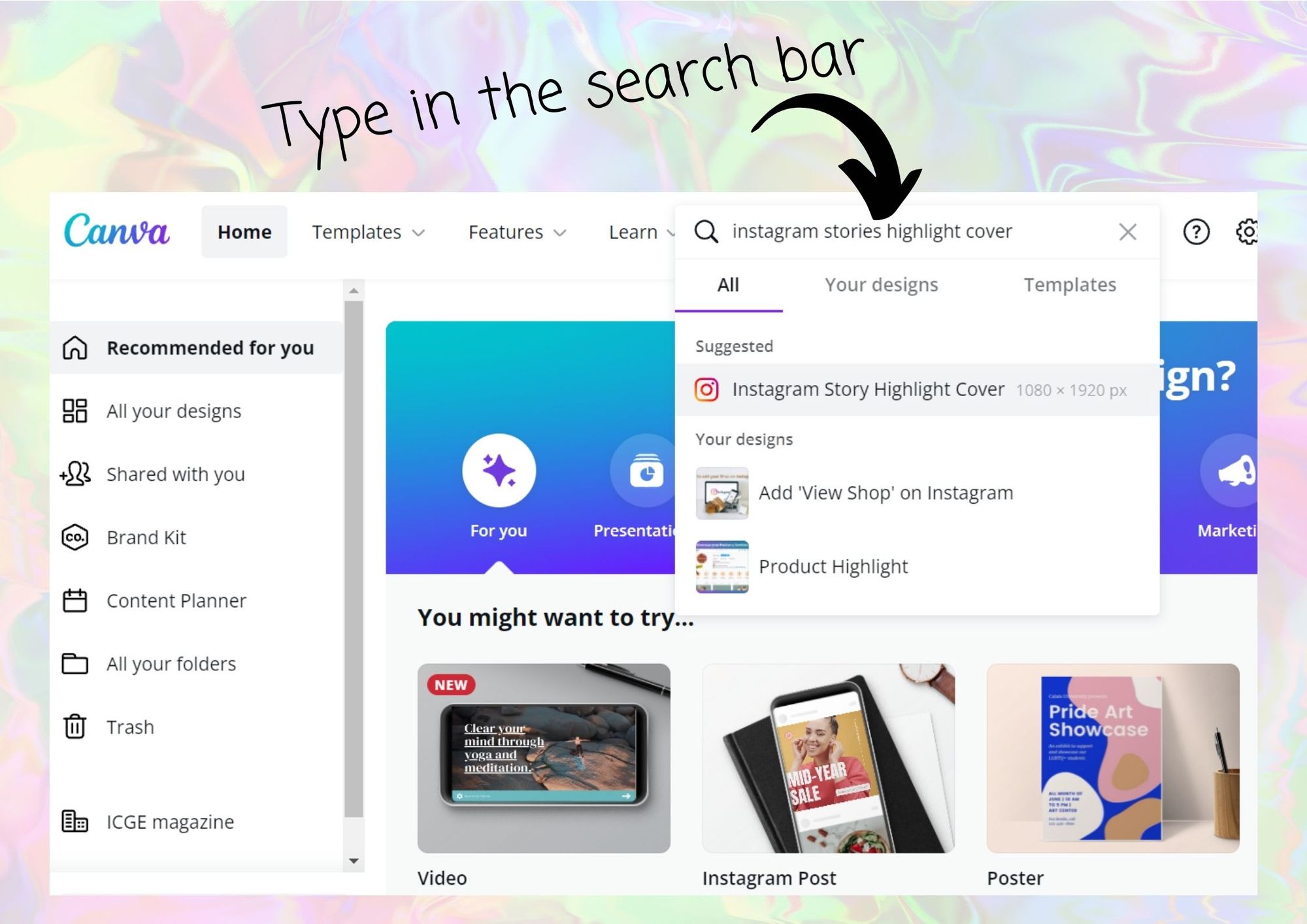 Search and select a layout for creating highlights covers
Search for an Instagram Stories Highlight Covers template, or start with a blank design.
Search and select a layout for creating highlights covers
Search for an Instagram Stories Highlight Covers template, or start with a blank design.
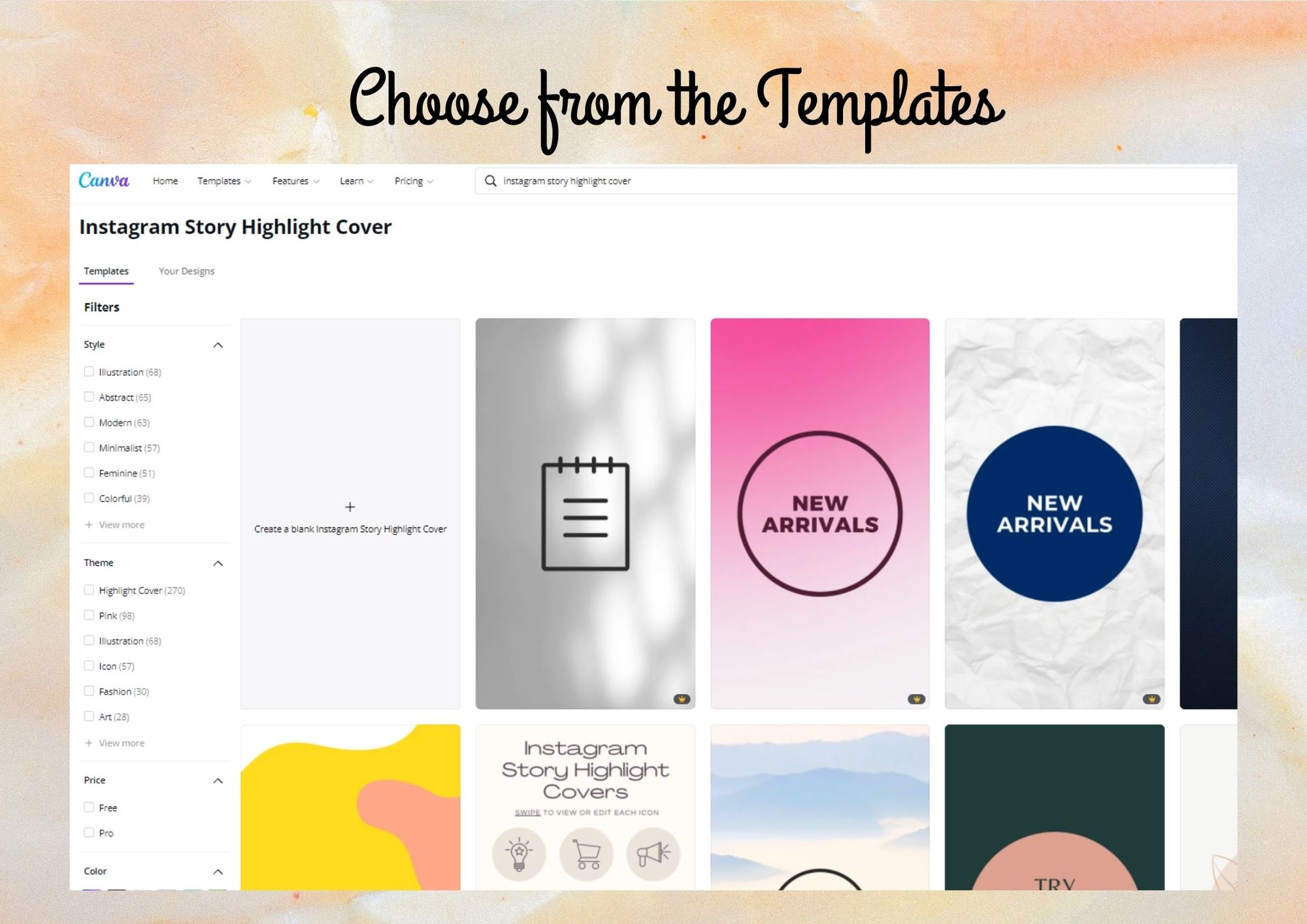 Pick any template for an easy design process
Customize a clear, consistent cover
Select a template or create a blank Instagram Stories Highlight Cover. Use a small set of brand colors and a simple icon so the cover remains easy to recognize at profile size.
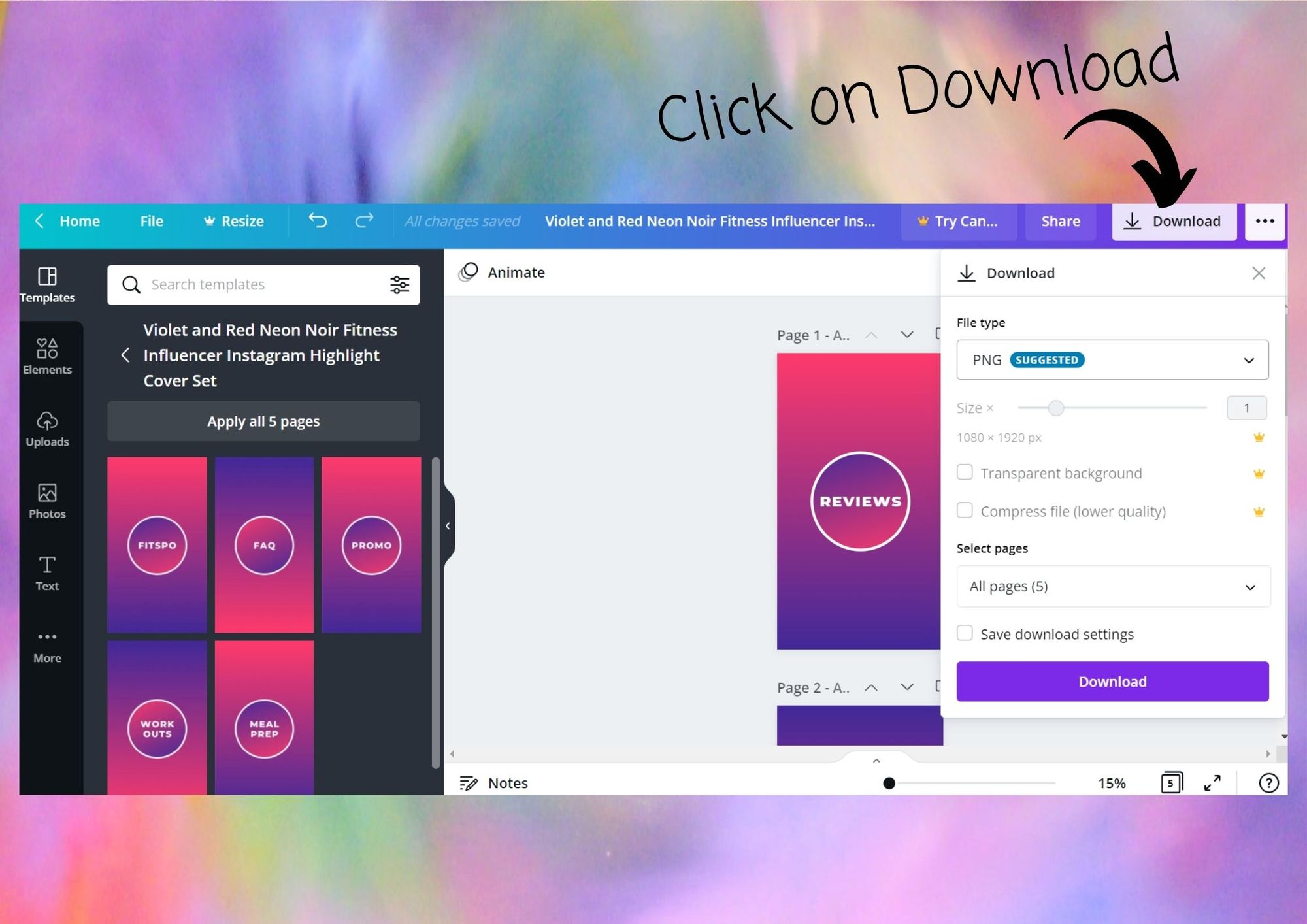 After completing the design, download it.
Download and add the cover to Instagram
Use elements, graphics, or photos to create the cover. Download the file as PNG or JPG, then update the matching Highlight cover from your Instagram profile.
Next, you can go to your Instagram profile and change the highlight covers.
To learn about the must-have IG Highlights for eCommerce business, read this blog.