Vizup
Commerce
Toggle Menu
定价
教程
工具
获取演示
安装Shopify应用
中文
English
Deutsch
日本語
Français
Español
中文
获取演示
安装Shopify应用
All Docs
How to create a Slider Widget?
How to customize the Slider Widget?
How to Set Translate Button Labels to Local Language?
How to set Brand Theme Colors?
How to customize widgets to match with Brand's Theme?
How to set the Instagram username of brand?
How to show a Title and Caption below the video cards?
How to show related videos on collection Pages?
Integrate with Custom Page Builders like PageFly, Gem Pages
How to integrate with Ecomposer, Gem Pages?
How to setup with Custom HTML sections?
How to setup with Custom Liquid sections?
How to add custom CSS?
How to Create a Floating Pop Widget?
How to remove a video from Widget?
Where to update email address to receive app updates?
How to show related videos on product pages?
How to Create a Story Widget
How to auto display videos on product pages based on tagged products of videos?
How to tag products in videos?
How do I add a Shop Now button to the Reels section?
How to set thumbnail image of videos?
How to show multiple Widgets on the same Home page?
How to create a Grid Widget?
How to create a Banner Widget?
How to show all videos on a separate page?
How to Create a Poll on a Widget Video?
How to Upload Videos?
What does the Default Design Settings button do?
How to Send Vizup Widget Events to Google Analytics
How to delete a widget?
How to bulk tag videos and add them to widgets?
On mobile, video widget is not visible. How to fix it?
Customize Banner Video Content with CSS
What is priority?
How to remove Vizup app?
如何在视频卡片下方显示标题和说明文字?
按照以下简单步骤使用此功能:
点击”文本”按钮。
在标题框中输入视频标题。
然后在说明框中输入一段有趣的说明文字。
别忘了保存您的更改!
然后观看视频,确保标题和说明文字效果良好!
添加标题和说明文字示例
Section titled %u6DFB%u52A0%u6807%u9898%u548C%u8BF4%u660E%u6587%u5B57%u793A%u4F8B
观看以下视频,了解如何添加标题和说明文字:
您的浏览器不支持视频标签。
标题和说明文字的效果展示
Section titled %u6807%u9898%u548C%u8BF4%u660E%u6587%u5B57%u7684%u6548%u679C%u5C55%u793A
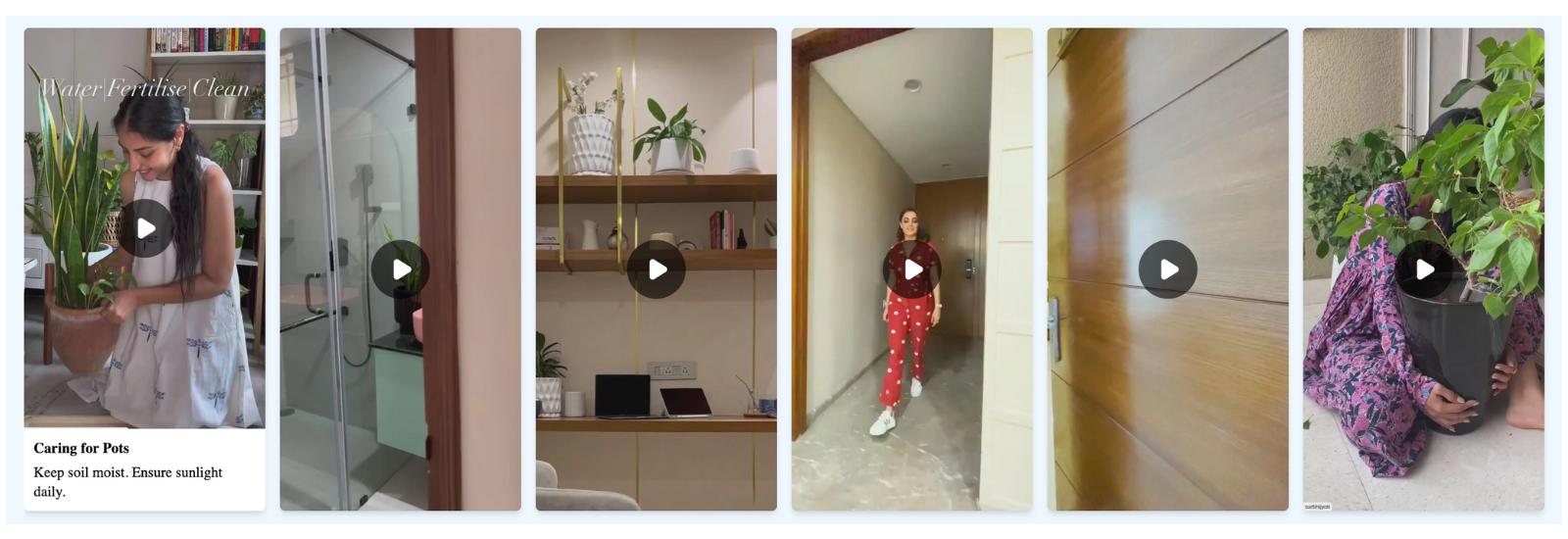
查看下图,了解标题和说明文字在视频中的显示效果:
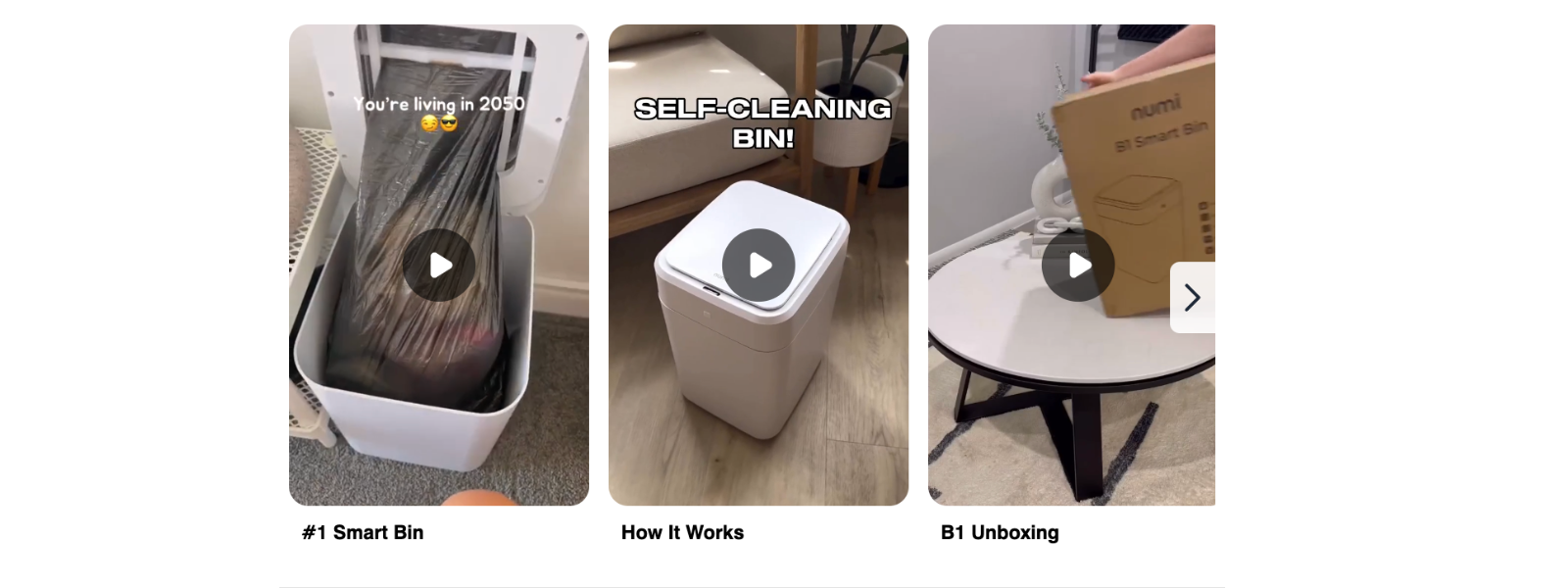
以下是另一个示例,展示了仅应用了标题功能的视频:
← Back to All Tutorials